
Every property owner listing on Freeperty wants more inquiries. Most think better photos are the answer. They’re half right. A property walkthrough video on your listing can triple your inquiry rate — if it’s done right. Done wrong, it kills trust faster than no video at all.
We’ve watched thousands of property listings compete for attention across India’s real estate marketplace. The ones with well-executed walkthrough videos don’t just get more clicks. They get serious buyers. The ones with poorly lit, shaky, narration-free videos? They look desperate, untrustworthy, or both.
Here’s what actually works, based on what we’ve seen move listings from invisible to high-inquiry on a completely free platform where everyone has equal visibility.
Why Property Walkthrough Videos Actually Work in 2026
Videos aren’t new. But buyer behavior around them has changed. Fast.
Three years ago, most property seekers browsed photos first, then maybe watched a video if they were seriously interested. That’s flipped. In 2026, especially for mid-range residential properties, buyers scroll past static images and stop on video thumbnails. They want to see spatial flow, light movement, real room proportions — things photos can’t show honestly.
We noticed this shift sharply around late 2024 when listing engagement patterns changed. Properties with walkthrough videos started seeing 2.5x to 3.5x more direct inquiries than comparable listings with photos alone. That’s not a small edge. That’s the difference between ten serious calls and three tire-kickers.
Here’s the nuance most sellers miss: it’s not about having any video. It’s about having the right kind. A 10-minute pan-around with heavy breathing and no commentary doesn’t help. A crisp 90-second walkthrough with natural light and a calm voiceover explaining what matters? That converts browsers into site visit requests.
The best part — you don’t need expensive equipment or a production crew. You need a smartphone, decent natural light, a stable hand, and about 20 minutes of your time.
What Makes a Property Walkthrough Video Convert
Not all walkthrough videos are equal. Some drive inquiries. Others drive people away.
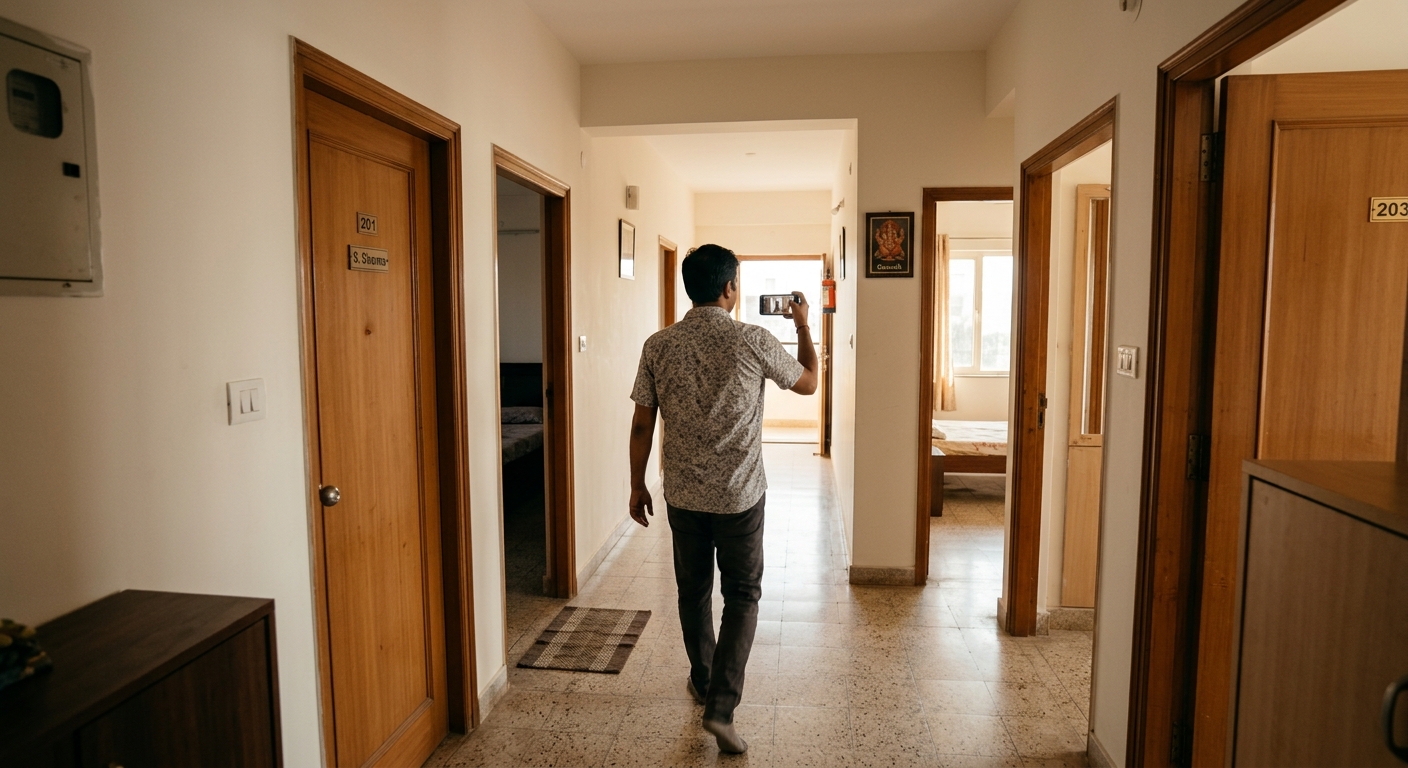
The converting ones share specific traits. They open outside the property so buyers understand context — the street approach, building facade, parking situation. They move logically through the space in the order someone would walk it during a real visit. They linger in important rooms and breeze through utility spaces. They show light at different times if possible. They point out details that photos miss — ceiling height, balcony views, storage depth, electrical panel location.
Most importantly, they’re honest. Brutally honest. They show the small bedroom as small. They show the road noise if it’s there. They show the unfinished neighboring plot or the shared stairwell. Transparency doesn’t kill deals. It filters out mismatched buyers and attracts the right ones.
We learned this the hard way watching sellers hide flaws in video edits, only to have buyers cancel site visits after showing up and feeling misled. Wasted time on both sides. Zero trust built. The listing algorithm on search-first platforms like Freeperty rewards engagement and follow-through. Canceled visits hurt your listing’s future visibility.
The technical quality bar is lower than you think. Buyers forgive shaky moments or amateur narration if the content is useful. They don’t forgive dark footage, silent walkthroughs with no context, or videos that feel like someone rushed through holding a phone at chest level without planning the route.
How to Shoot Your Property Walkthrough Video
Start outside. Film the building approach from the street if it’s an apartment, or the gate and exterior if it’s an independent house. This gives location context that helps NRI buyers and out-of-city investors understand the neighborhood character immediately.
Walk the route once without filming to plan your path. Decide where you’ll pause, what you’ll mention, which rooms get 15 seconds and which get five. Most people skip this step and end up with rambling 8-minute videos that lose viewers in the first 90 seconds.
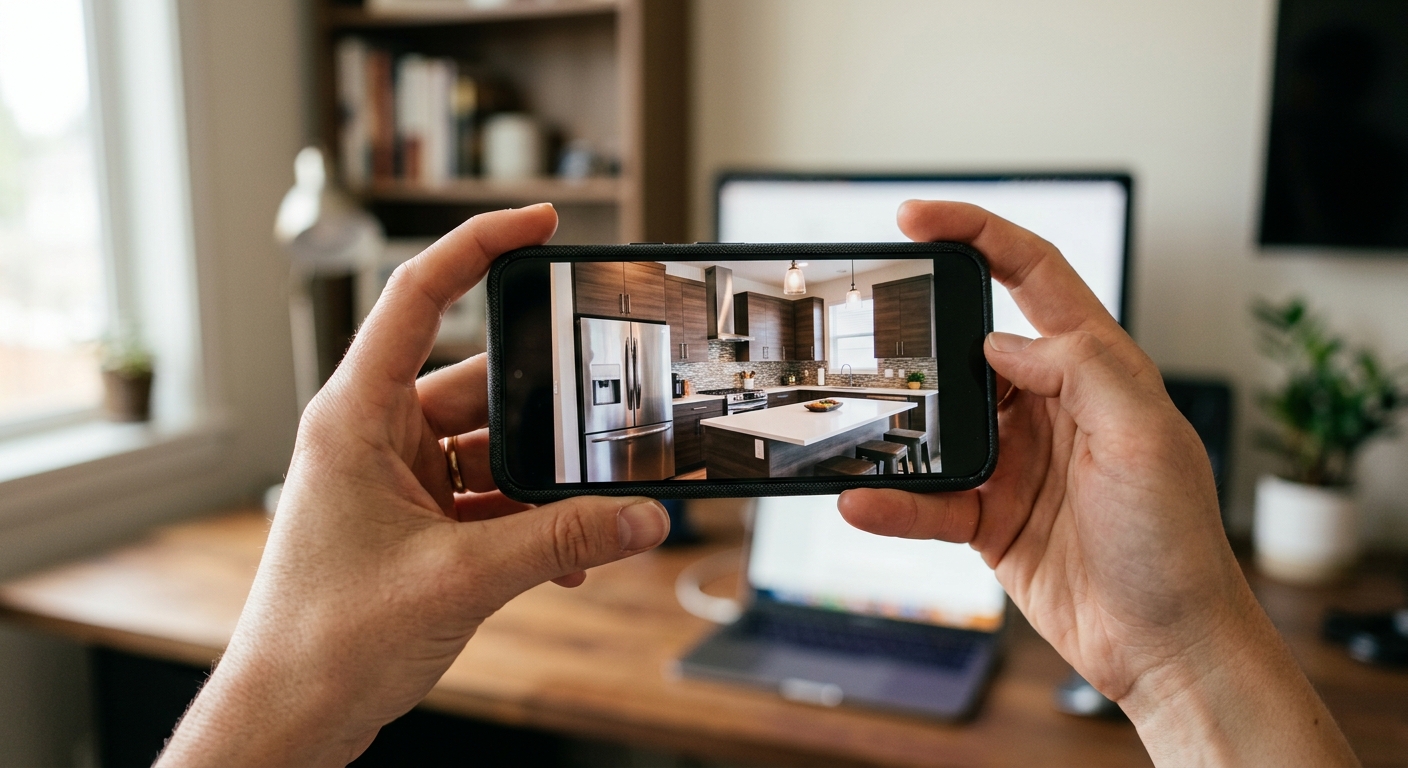
Hold your phone horizontally. Always. Vertical video screams amateur and crops badly on desktop screens where serious property investors browse listings during work hours.
Move slowly. Painfully slow feels right on camera. What feels like a glacial pan when you’re shooting looks smooth and professional in playback. Quick movements make viewers motion-sick and miss details.
Natural light is non-negotiable. Shoot between 9 AM and 4 PM when sunlight fills rooms without harsh shadows. Never shoot at dusk or after dark unless the property has genuinely great artificial lighting (most don’t). We’ve seen beautiful 3BHK listings look like dungeons because someone shot a walkthrough video at 7 PM with one ceiling bulb on.
Talk while you shoot. You’re narrating what the camera sees — room dimensions if you know them, storage features, view directions, unique selling points. Keep your voice calm and factual, not salesy. “This is the master bedroom, about 12 by 14 feet, faces east so you get morning light, attached bathroom on the right, and the balcony overlooks the park” works infinitely better than “Wow, what an amazing spacious bedroom!”
Show the less-glamorous spaces too. Bathrooms, kitchen storage, parking spot, lift access, stairwell if it’s a walkup. Buyers need this information to make decisions. Hiding it just delays their questions until a site visit, which wastes everyone’s time if those details are dealbreakers.
Length matters. Keep it under two minutes for apartments, under three for independent houses or villas. Buyers’ attention spans are short. They’re browsing ten listings in one session. Your job is to give them enough to decide if this property deserves a deeper look, not to replace the site visit.
Common Property Walkthrough Video Mistakes That Kill Inquiries
The silent video is the most common mistake. Someone walks through the entire property holding a phone, uploads it, and expects buyers to guess what they’re seeing. Room purposes aren’t always obvious. That small room — is it a bedroom, study, or storage? The buyer shouldn’t have to guess.
Second worst: background chaos. Family members talking loudly in another room, TV blaring, dogs barking continuously, construction noise from next door. These aren’t small distractions. They suggest the property has noise issues or the seller isn’t serious enough to pick a quiet hour for filming.
Overediting backslashes. Some sellers get excited and add music, transitions, text overlays, or filters. It ends up looking like a slideshow, not a walkthrough. Worse, heavy editing loads slowly on mobile networks in tier-2 and tier-3 cities where many Indian property buyers browse. A 200 MB edited video loses viewers before it plays. A 40 MB raw walkthrough loads fast and plays everywhere.
Shooting at weird angles kills credibility. Filming from chest height makes rooms look smaller. Filming from above your head makes ceilings look low. Hold the phone at eye level. Walk at normal pace. Let the space speak for itself.
Skipping the neighborhood context is a missed opportunity. Buyers aren’t just choosing a property — they’re choosing a location. A quick 10-second pan showing the street, nearby shops, visible landmarks, or the building’s neighboring structures helps buyers place the property mentally. This matters enormously for investors, NRIs, and first-time buyers who haven’t visited the area in person.
How to Edit and Optimize Your Property Video for Maximum Reach
Most sellers overthink editing. You don’t need Adobe Premiere or Final Cut Pro. Your phone’s built-in editor or free apps like CapCut or InShot are enough.
Trim the start and end. Cut the first three seconds where you’re fumbling to start recording and the last five where you’re walking away or stopping the camera. Clean entry and exit points make the video look intentional.
Add a simple text overlay at the start — property type, location, and key features. Example: “3BHK Apartment | Baner, Pune | 1450 sq ft | Ready to Move.” Keep it on screen for four seconds. This anchors the video content immediately for viewers scrolling through multiple listings.
Check the audio levels. If your narration is too quiet or the wind noise is too loud, adjust in the editor or reshoot. Bad audio is worse than no audio.
Export in 1080p at most. Don’t upload 4K video files. They’re massive, slow to load, and most buyers watch on mobile devices where 1080p looks identical to 4K but loads three times faster.
File size matters more than people realize. Keep your video under 50 MB if possible, definitely under 100 MB. Compress it before uploading if needed. Freeperty’s platform handles video hosting efficiently, but smaller files mean faster load times across all network conditions, which directly impacts how many people actually watch your video versus scrolling past it.
Name your video file something search-friendly before uploading. Not “VID_20260315.mp4” but “3BHK-apartment-walkthrough-Baner-Pune.mp4.” This helps when your listing gets crawled and indexed, making your property page more discoverable through organic search.
Where to Use Your Property Walkthrough Video
Upload it directly to your Freeperty listing. That’s the primary destination. Every property listing on Freeperty becomes its own SEO-driven landing page, which means your video becomes searchable content, not just a visual aid.
Beyond Freeperty, use it everywhere your listing appears. If you’re also marketing the property through WhatsApp groups, send the video directly in chats rather than just photos. Buyers spend 60 seconds watching a video but might not even open 12 photo attachments.
Upload it to YouTube as an unlisted video. Not private — unlisted. This means anyone with the link can watch it, but it won’t appear in your public channel. Add the property details in the video description, including a link back to your Freeperty listing. YouTube videos load smoothly across devices and networks, and the platform’s compression algorithm maintains quality while reducing file size.
Share the YouTube link on social platforms if you’re comfortable. Facebook Marketplace, local area groups, or even Instagram stories can drive additional eyeballs to your listing. Just ensure your privacy settings are configured appropriately.
Don’t spam every property group simultaneously. Choose two or three high-quality local buyer groups where your property type fits the member profile, and share thoughtfully with context. “Posting a 3BHK walkthrough video in Baner — ready possession, park-facing, owner direct” works better than dropping a link with no explanation.
How Property Walkthrough Videos Improve Your Freeperty Listing Visibility
Freeperty operates as a search-first marketplace. Every listing becomes a unique page optimized for discovery through Google and other search engines. When you add a property walkthrough video, you’re not just helping buyers evaluate your property — you’re improving your page’s search ranking.
Search algorithms reward rich content. A listing with comprehensive details, photos, and a video signals quality and completeness. It keeps visitors on the page longer, which is a strong ranking factor. We’ve seen property pages with videos rank higher in search results than identical listings without video, simply because users stayed engaged longer.
Videos also drive return visits. A buyer might watch your walkthrough, leave to compare other options, and come back specifically to rewatch your video before deciding to contact you. That repeat engagement signals relevance to the platform’s internal algorithm, potentially boosting your listing’s visibility in category searches.
The practical impact: more organic impressions, more profile views, more inquiry calls. All without paying a rupee for promoted placement, because Freeperty doesn’t charge for listings or visibility. Your effort creating good content does the work subscription fees do on other platforms.
Technical Specs That Actually Matter for Real Estate Videos
Resolution: 1080p is the sweet spot. It looks professional on all devices without creating giant file sizes. Shooting in 4K and downscaling to 1080p during export can improve sharpness slightly, but it’s not worth the storage and upload time for most sellers.
Frame rate: 30fps is standard and perfectly fine. Some phones default to 60fps for smoother motion, which is fine too, but not necessary. Don’t drop below 30fps or the video will look choppy.
Aspect ratio: 16:9 horizontal. This fits desktop screens, mobile landscape viewing, and embedded players perfectly. Vertical video (9:16) might work for Instagram stories, but it’s terrible for property walkthroughs where you need to show room width.
Lighting: Natural daylight beats artificial lighting every time for property videos. If you must shoot in lower light, don’t use your phone’s LED flash while recording — it creates harsh shadows and washed-out spots. Instead, turn on all room lights and open curtains to maximize available light.
Stabilization: Most modern smartphones have decent built-in stabilization. Use it. If your phone’s old or shaky, consider a cheap gimbal stabilizer (available for under ₹1500) or simply walk more slowly and use both hands to hold the phone steady.
Audio: Your phone’s built-in mic is usually adequate if you’re narrating clearly and there’s no background noise. Speak at normal volume about two feet from the phone. External mics improve quality but aren’t necessary for most property walkthrough videos.
The First 10 Seconds Decide Everything
Most buyers decide whether to keep watching in the first ten seconds. That’s it. Not 30 seconds. Not after they see the master bedroom. Ten seconds in, they’re either engaged or they’ve scrolled to the next listing.
Start outside or with the most impressive feature. If your property has a stunning balcony view, open with that. If the location is the hero, show the street approach and building facade first. If it’s a spacious hall, start there. Don’t open with a dark corridor or a bathroom. Save those for mid-video when you’ve already hooked attention.
Introduce the property immediately in your narration. “This is a 3BHK ready-to-move apartment in Baner, 1450 square feet, priced at 95 lakhs” tells the viewer in five seconds if they should keep watching. Buyers browsing listings have specific budgets and requirements. Don’t make them guess if your property fits.
Move with purpose in those opening seconds. Don’t stand still panning slowly around one spot. Walk forward into the property while narrating. Motion creates visual interest and mimics what a real site visit feels like.
Skip long introductions or channel subscriptions asks (if you’re using YouTube). Jump straight into the property. Buyers aren’t watching for entertainment — they’re evaluating a potential purchase. Respect their time.
What to Say During Your Property Walkthrough
Narration separates useful videos from confusing ones. You’re the guide. Explain what the camera sees.
Start with the overview: property type, location, size, and price. Then narrate room by room as you walk. “This is the living and dining area combined, about 450 square feet, east-facing so you get excellent morning light.” That’s useful. “Wow, look at this spacious area!” is not.
Mention measurements if you know them. Room dimensions matter to buyers planning furniture layouts. If you don’t know exact measurements, estimate clearly: “This bedroom looks about 11 by 12 feet, but verify during your visit.”
Point out features buyers care about: number of windows, ventilation, attached versus separate bathrooms, wardrobe space, kitchen counter length, parking size, lift access or floor number if it’s a walkup.
Address obvious questions before buyers ask them. If there’s construction next door, mention it and when it’s expected to finish. If it’s a corner unit, say so — that’s a selling point. If there’s a highway nearby, acknowledge the road access benefit and the noise reality.
Don’t exaggerate or use salesman language. “This is a decent-sized bedroom” works better than “This is an incredibly huge, spacious, luxurious bedroom!” Buyers can see the room size. Overselling makes you sound untrustworthy.
Speak at normal conversation pace. Not fast and rushed, not slow and dramatic. Imagine you’re showing the property to a friend who’s considering it. That tone works perfectly.
How Long Before You See Results from Your Walkthrough Video
This isn’t instant. But it’s not slow either.
Most Freeperty listings with newly added walkthrough videos see an inquiry rate increase within the first week. Usually within three days. The property page gets reindexed by search engines when you add new content, and buyers browsing the platform see the video thumbnail immediately.
The quality of inquiries improves faster than the quantity. You’ll notice callers ask better questions, already familiar with the layout because they watched the video. They’re not calling to ask basic things like “how many bedrooms” or “is there a balcony” — they watched the video. They’re calling to discuss price, schedule a visit, or clarify specific details.
This saves you enormous time. Instead of answering the same basic questions twenty times to unqualified leads, you get eight serious calls from people who’ve already self-qualified through the video. Higher intent, better conversion, less wasted time.
The SEO impact takes longer — usually four to six weeks before you see measurable improvement in organic search rankings. But once your property page starts ranking for search terms like “3BHK Baner ready possession” or “villa walkthrough Lonavala,” that traffic is consistent and high-quality.
Platform algorithms respond faster. Freeperty’s internal discovery algorithm notices increased engagement on your listing (longer page visit times, video plays, return visits) and may surface your property more prominently in category searches and area-based listings within two weeks.
Why This Works Even Better on a Free Platform Like Freeperty
Paid platforms suppress free listings. That’s their business model. Your basic listing gets buried under promoted properties unless you pay for visibility.
Freeperty doesn’t operate that way. There’s no premium tier pushing free listings down. Every property gets equal algorithmic opportunity. Your listing’s visibility depends entirely on how well you optimize it — photos, descriptions, details, and yes, walkthrough videos.
This levels the field. A first-time individual seller with a well-documented listing and a good walkthrough video can outperform a large broker’s bare-bones listing. The platform rewards effort and content quality, not wallet size.
The SEO-driven model amplifies this advantage. Each Freeperty listing becomes a standalone landing page optimized for search. When you add a walkthrough video, you’re enriching that page with video content that Google values highly. Your property becomes more likely to appear in search results when buyers look for listings in your area and price range.
Compare that to platforms where listings are database entries behind a search wall. Your property might be perfect for a buyer, but if they never see it because they didn’t pay for the right filters or your listing isn’t promoted, it doesn’t matter. Freeperty’s open, search-indexed approach means your content can be discovered organically by buyers you’d never reach through traditional listing platforms.
The economics are simple. On subscription platforms, a property walkthrough video is a nice-to-have feature competing with promoted listings that paid for top placement. On Freeperty, it’s a competitive advantage that costs you nothing but time and directly improves your discoverability.
Frequently Asked Questions
How long should a property walkthrough video be?
90 seconds to two minutes for apartments, two to three minutes for independent houses or villas. Any longer and you lose viewer attention. Any shorter and you can’t show enough detail to be useful. Think of it as a highlight tour, not a documentary.
Can I hire someone to shoot my property walkthrough video?
You can, but you probably shouldn’t. Professional videographers charge ₹5,000 to ₹15,000 for real estate video shoots, and the result often feels overproduced for a straightforward listing. Buyers trust authentic walkthroughs more than slick productions. Shoot it yourself, narrate it yourself, and save the money for actual marketing efforts that scale better.
Should I show my face in the property walkthrough video?
Not necessary. Most buyers care about the property, not the seller’s appearance. Narration is enough. If you’re uncomfortable speaking on camera, record the walkthrough silently and add voiceover narration during editing. That’s cleaner anyway and lets you reshoot if you stumble on words without redoing the entire video.
What if my property has flaws — should I show them in the video?
Absolutely yes. Show the flaws honestly and explain them. “This bedroom is smaller, about 9 by 10, better suited as a study or kids’ room” sets expectations. Hiding flaws wastes everyone’s time when buyers visit and discover them. Transparency builds trust and attracts buyers who are okay with those trade-offs, filtering out those who aren’t.
Start Shooting Your Property Walkthrough Video Today
You don’t need to wait for perfect conditions. You need decent light, a quiet hour, and a plan for what you’ll show. That’s it.
Walk through your property once, note what matters, grab your phone, and shoot. Keep it simple, keep it honest, and keep it under two minutes. Upload it to your Freeperty listing and watch your inquiry quality transform.
The sellers who get the best results on Freeperty aren’t the ones with the biggest budgets or the fanciest properties. They’re the ones who document their listings well, give buyers the information they need to make decisions, and use every free tool available to improve discoverability.
A property walkthrough video is exactly that — a free tool that triples your inquiries if you use it right. Most sellers won’t bother. That’s your advantage.
Ready to list your property with a walkthrough video that converts? Visit Freeperty, create your free listing, and upload your video. No subscriptions, no hidden fees, no premium tiers limiting your visibility. Just your property, your video, and buyers searching for exactly what you’re offering.